


Currently the portal URL can only be updated via the API. The easies way to do so is via the browser console.
Here are the steps you’ll need to take:
Copy the portal ID
Section titled “Copy the portal ID”Navigate to you workspace Dashboard.
Copy the portal ID from the URL toolbar. It’s a 32 character string at the end of the URL, right after
portal/.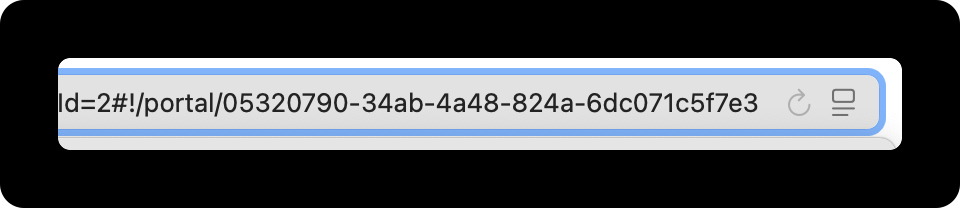
Open the browser console
Section titled “Open the browser console”You can find instructions on how to open the browser console here.
Enter the API code
Section titled “Enter the API code”In the console, enter the following code.
apiFetch('/internal/api/stream/xxxxxxxx-xxxx-xxxx-xxxx-xxxxxxxxxxxx', { method: 'PATCH', body: JSON.stringify({ slug: 'newslug' }) })Please replace the ID placeholder marked with “x” and insert the “new slug”
Hit Enter to execute the call.
Reload the page
Section titled “Reload the page”Reload the dashboard and you see the updates slug in the portal URL in the top.
Need help?
Section titled “Need help?”Feel free to schedule a 15 minute call and we will help assist you with the renaming.