


Overview
Section titled “Overview”The AI models are optimized for use in English, but many of them are robust enough to generate good results for a variety of languages.
We have seen good results in the following languages:
- Chinese (zh-Hans)
- Chinese (zh-TW)
- French (fr-FR)
- German (de-DE)
- Italian (it-IT)
- Japanese (ja-JP)
- Portuguese (pt-BR)
- Russian (ru-RU)
- Spanish (es-ES)
How to
Section titled “How to”Configuring another language
Section titled “Configuring another language”-
Access AI settings
Navigate to the Settings menu in your space -
Select artificial intelligence
Within the settings, find the option for Artificial Intelligence.
-
Choose custom prompt
Look for the Base prompt settings and choose Custom.
-
Modify Prompt to output text in another language
Add instructions to output text in another language (e.g. Japanese). You can adjust not only the language but also the style and other parameters.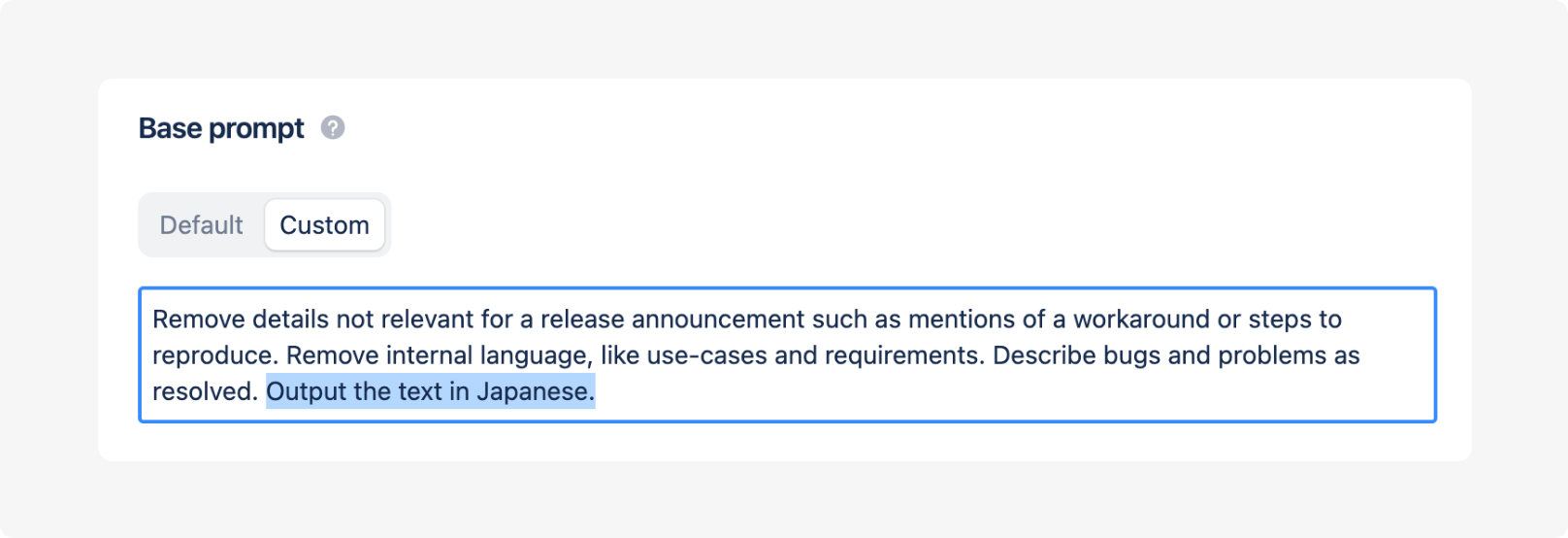
-
Generate a description
The output when generating a release description will now appear in the selected language.