


Use the Time tracking field to record work directly from a BetterBoard card. It combines a timer, logged time, estimate progress, and manual time entry in one control.
Add Time tracking to a board
Section titled “Add Time tracking to a board”- Open the board and select Display.
- In Fields, add Time tracking from Available fields.
- Select Save in the toolbar.
The control appears on cards that have time-tracking data. Its tooltip shows logged time, the original and remaining estimates, and progress when Jira provides them.
Start and stop a timer
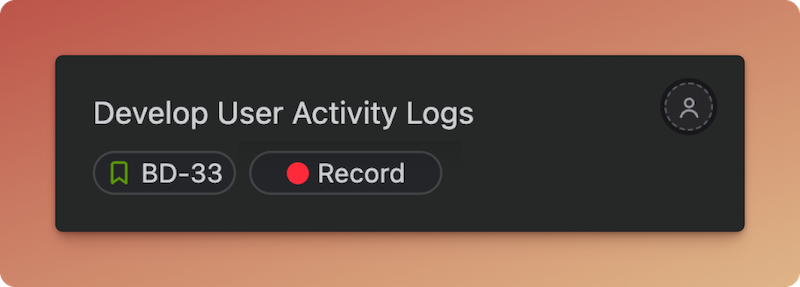
Section titled “Start and stop a timer”Select the timer on a card to start recording time. The card shows a live elapsed clock, and BetterBoard keeps a compact timer control available while you work elsewhere on the board.
Select Stop to open Log time. Confirm the entry to add the elapsed time to the Jira work item.
Only one timer can run at a time. Starting another one requires stopping the current timer first.
Log time manually
Section titled “Log time manually”You do not need to run a timer. Hover a card, select it, and press Q, or open the command palette with ⌘K / Ctrl+K and choose Log time.
In Log time, enter a duration such as 1h 30m. You can also add an optional description and change the start date and time. For one work item, you can adjust the remaining estimate before saving.
To log the same duration across several work items, select the cards first and use Log time. Remaining-estimate changes apply only when logging time on a single work item.
Frequently asked questions
Section titled “Frequently asked questions”Will my timer keep running if I refresh, close, or leave the board?
Yes. The timer keeps running when you refresh or return to BetterBoard in the same browser, and you can see it from your other tabs. Time is added to Jira only after you stop the timer and confirm Log time.
Can I continue a timer on another device?
No. A timer is available only in the browser where you started it. Stop and log the time before switching devices.
Can I run more than one timer?
No. Stop the current timer before starting one for another work item.
Can I use the Time tracking field to filter, group, sort, or color cards?
No. The Time tracking field is a card control for recording work. It cannot be used for filters, grouping, columns, sorting, or card-color conditions.
To filter by time, add Time spent, Remaining estimate, or Original estimate. You can also use these fields for card-color conditions. Σ Remaining estimate, Σ Original estimate, Progress, and Σ Progress are display-only.
Can I edit or delete logged time in BetterBoard?
To correct a logged entry, open the Jira work item and select the Work Log tab. Edit or delete the previous log there, then log the correct time.
See Field types for the full capability summary.